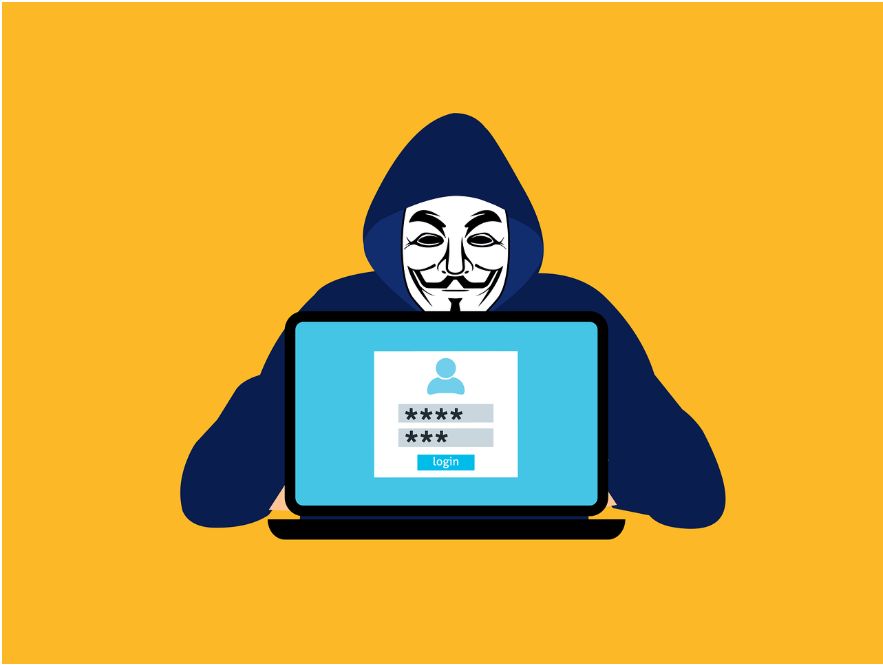
You click a link, sign in, approve the MFA prompt, and go about your day—completely unaware that someone else just logged into your account at the same moment.
That scenario surprises a lot of businesses, especially those relying on multi-factor authentication (MFA) to protect cloud accounts. But this is exactly how Adversary-in-the-Middle (AiTM) phishing attacks work. Instead of stealing passwords for later use, these attacks hijack an already-authenticated session in real time.
MFA is still a core control, and implementing it correctly is essential. But AiTM attacks exploit something MFA was never designed to protect: the trusted session that exists after authentication.
Phishing Has Moved Beyond Passwords
Phishing is still the most common starting point for account compromise, but the objective has shifted. Traditional phishing collected usernames and passwords. Modern phishing is after something far more immediately useful: the authenticated session itself.
Security researchers note a growing trend toward session and token theft, where attackers intercept the authentication process as it happens. Rather than reusing stolen credentials—which MFA typically blocks—they wait until the user successfully logs in and then grab the session token that proves it already occurred.
PhaaS platforms like Evilginx have made it easy for even low-skilled attackers to run AiTM campaigns targeting Microsoft 365 and Google Workspace accounts at scale.
How AiTM Attacks Actually Work
The fake login page that isn’t fake
An AiTM phishing site isn’t just a static replica—it’s a live reverse proxy. Every keystroke, redirect, and server response flows through the attacker’s system in real time. From the user’s perspective, everything works normally: branding is correct, redirects function, and the MFA prompt completes as expected. The only hint? A slightly altered URL that’s easy to miss on mobile or when busy.
Why MFA doesn’t stop it
MFA protects the moment of authentication, not what comes after. Once a user completes MFA, the service issues a session cookie that signals “already verified.” Whoever holds that cookie holds the access. AiTM attacks simply wait for the cookie to be issued, then steal it.
Microsoft tracked a 146% rise in AiTM attacks over the past year, driven largely by PhaaS platforms that make reverse-proxy campaigns easy for attackers targeting major cloud providers.
Session cookies
Session tokens act as bearer credentials. Whoever has the token can access the account—no password or MFA challenge required. The attacker imports the cookie into their own browser and immediately resumes the session. This is a session replay attack.
What happens after a session is stolen
AiTM attacks are usually quiet. Attackers operate inside legitimate sessions with no failed MFA attempts, no unusual login alerts, and nothing flagged in standard sign-in logs.
Proofpoint research shows attackers often:
- Create hidden inbox rules to redirect emails
- Register additional MFA methods for persistent access
- Monitor conversations for financial opportunities
- Use trusted accounts to launch internal phishing campaigns
These follow-on actions make AiTM attacks often discovered late—after fraud, data leaks, or network compromise.
Reducing Your Exposure
MFA is essential, but stopping AiTM risk requires controls beyond the login itself:
Adopt phishing-resistant MFA
FIDO2 hardware keys and passkeys bind authentication to the device and the legitimate domain. A proxy in the middle can’t relay them. The Canadian Centre for Cyber Security found phishing-resistant MFA consistently blocks session theft, while push notifications and OTPs often fail.
Tighten Conditional Access policies
Risk-based access evaluates device compliance, IP location, and session behavior. Correctly configured, it can detect and block anomalous access—even when a stolen session token appears valid.
Monitor for post-login anomalies
Look for new MFA registrations, suspicious inbox rules, access from unfamiliar locations, or unusual data activity. Authentication logs alone won’t catch it.
Train users on URL awareness
Even a working MFA prompt can be dangerous if it’s on a lookalike page. Educate staff on what AiTM lures look like in Microsoft 365 or Google Workspace contexts. Awareness can stop attacks before the session is stolen.
Stop Protecting Just the Login Screen
MFA is a baseline, not a finish line. Businesses that reduce AiTM risk understand sessions, tokens, and identity trust, and build controls around each layer—not just the login.
For Brisbane and Mackay companies, our Managed IT and Managed Services can review identity security controls, tighten session protection, and help your team stop attackers from hijacking active sessions. Contact us today to secure your cloud accounts before an incident does it for you.
—